Every mobile number in the UAE must be registered against a valid Emirates ID, it is a federal telecom requirement, not an Etisalat policy. So when you receive a new or renewed Emirates ID, your Etisalat registration does not update itself: you have to link the new ID to your number. This guide shows you how to update your Emirates ID in Etisalat step by step, what documents you need, what happens if you ignore the reminders, and how the process differs for du customers.
The update itself is free and takes only a few minutes, whether you do it in the My Etisalat UAE app, on the Etisalat website, or at a store. What matters is doing it promptly, Etisalat sends reminders, but lines whose ID registration lapses can ultimately face service suspension under telecom regulations.
Table of Contents
- Why Etisalat Needs Your Valid Emirates ID
- When You Need to Update
- Method 1: My Etisalat UAE App (Fastest)
- Method 2: Etisalat Website
- Method 3: Visit an Etisalat Store
- What Happens If You Do Not Update
- For du Customers: The Same Process
- Frequently Asked Questions
Why Etisalat Needs Your Valid Emirates ID
UAE telecom regulation requires every active SIM, prepaid and postpaid, to be registered to a verified identity document. For residents, that document is the Emirates ID. This "My Number, My Identity" framework exists to prevent misuse of unregistered lines and applies equally to Etisalat (e&) and du.
Because your Emirates ID has an expiry date, the registration linked to your mobile number effectively inherits that timeline. When your ID expires or is replaced, the telecom record needs the new document. Etisalat typically notifies customers by SMS and in-app messages as the registered ID approaches expiry, treat those messages as a to-do, not spam.
When You Need to Update
- You received a renewed Emirates ID, the most common trigger. Your old ID's expiry is on Etisalat's record; the new card must be linked.
- You received a replacement ID (for example, after losing the original), the document number may have changed.
- Your ID details changed, such as a nationality, name, or sponsor-related update reflected on the new card.
- Etisalat asked you to re-verify, periodic re-verification campaigns require a fresh ID upload even if nothing changed.
- You are registering a new line, the ID is captured at purchase, but keep this guide handy for the renewals above.
If several family members' lines are registered under your ID (common for parents registering children's SIMs), each line's registration follows your ID, updating once generally covers the lines tied to that document, but confirm in the app that all numbers show as verified afterwards.
Method 1: My Etisalat UAE App (Fastest)
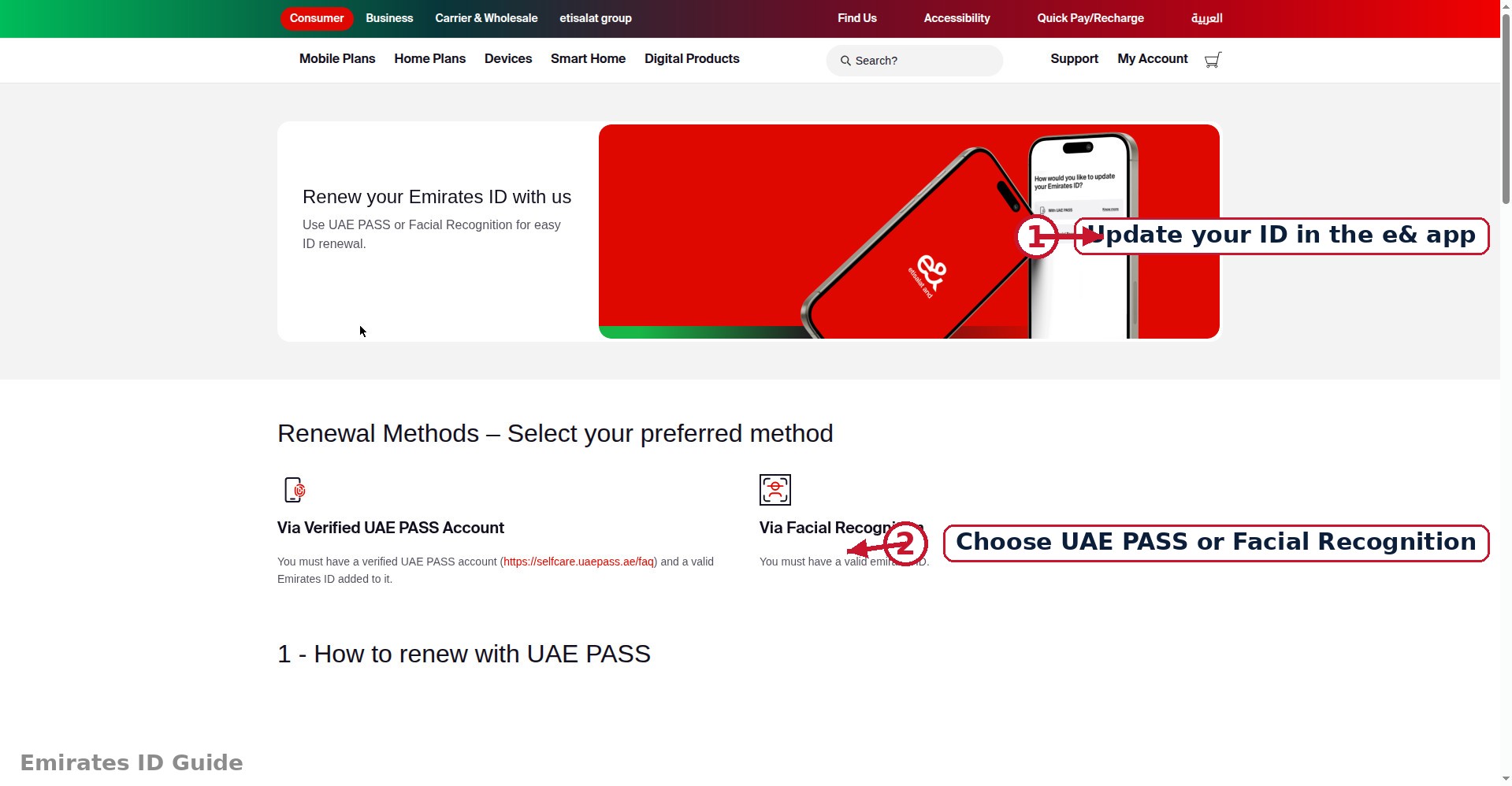
The My Etisalat UAE app is the quickest route, the whole process is a guided document upload that most people finish in under five minutes. Have your physical Emirates ID card with you before you start.
Step-by-step
- Open the My Etisalat UAE app and log in with your mobile number (OTP verification as usual).
- Find the ID update option. Look in the main menu or profile/account section for an option labelled along the lines of "Update Emirates ID", "Update Documents", or "Re-verify ID". Menu labels are refreshed periodically, so check the account/profile area if you do not see it immediately.
- Start the update flow for the mobile number you want to update (select the right number if you manage several).
- Scan or photograph your Emirates ID, front and back, when prompted. Use good lighting, keep the card flat, and make sure all text and the photo are sharp and fully visible.
- Review the captured details the app extracts (name, ID number, expiry date) and correct anything misread before submitting.
- Submit and wait for confirmation. You should receive an SMS or in-app confirmation once the new ID is accepted and linked. This is usually quick but can take a little longer at peak times.
Tips for a first-time pass: clean your camera lens, avoid glare on the card's glossy surface, and ensure the card is not cropped in the photo. Most rejections come from blurry or glare-obscured images, not from the ID itself.
Method 2: Etisalat Website
Prefer a computer, or is the app misbehaving? The Etisalat website offers the same document-update journey:
- Log in to your Etisalat online account with your mobile number.
- Navigate to the ID/document update section within your account or support pages.
- Upload clear scans or photos of the front and back of your Emirates ID (common formats like JPG/PNG/PDF are accepted; keep files reasonably sized).
- Submit and await confirmation by SMS or email.
The website route is handy when your phone camera is struggling or you already have scanned copies of your ID on your computer.
Method 3: Visit an Etisalat Store
If you prefer human help, or the digital routes keep failing, any Etisalat store can process the update at the counter.
- Bring your original Emirates ID card. Copies or photos on your phone are generally not sufficient for counter verification; the original is required.
- Take a token and request an ID update for your mobile number(s).
- The staff will scan your ID and update the registration in the system while you wait.
- Confirm by SMS, you should receive confirmation that the new ID is linked before you leave the mall.
Stores are also the right choice when the ID holder cannot use the app themselves (for example, updating a dependent family member's line), bring the ID holder's original card and be ready to show your own ID as well.
What Happens If You Do Not Update
Etisalat does not disconnect you the day your registered ID expires, there is a notification process first. But the direction of travel is one-way, so take the reminders seriously:
- Reminder messages: SMS and in-app notifications asking you to update your Emirates ID, usually beginning before expiry.
- Grace period with repeated warnings: continued reminders over a defined window.
- Service suspension: under UAE telecom rules, lines with invalid or expired ID registration can have outgoing services suspended, and ultimately the line can be disconnected if the registration is never corrected.
Disconnection is the worst outcome because reclaiming the number afterwards is not guaranteed. A five-minute update today protects a number you may have used for years, for banking OTPs, government logins, and everything else tied to it. There is no fee for updating, so there is no reason to postpone it.
For du Customers: The Same Process
On du, the requirement is identical, only the channel names differ. To update your Emirates ID in du:
- du app: open the du app, log in, and look for the ID/document update option in the menu or profile section; upload front and back photos of the new card.
- du website: log in to your du account online and use the document update section.
- du store: visit with your original Emirates ID for counter assistance.
The same logic on consequences applies: reminders first, then potential suspension for lapsed registration. Whichever operator you use, treat ID-expiry reminders as urgent.
Frequently Asked Questions
Is there a fee to update my Emirates ID in Etisalat?
No. Updating your ID registration, via the app, website, or store, is free. Never pay anyone claiming to offer this as a paid service.
How long does the update take to reflect?
App and website submissions are typically confirmed quickly by SMS, though it can take longer during busy periods. Store updates are usually confirmed before you leave. If you have not received confirmation within a day or so, follow up through customer care.
My old Emirates ID expired but I have not received the new card yet. What should I do?
Keep any renewal receipts or application confirmations. Once the new card is issued, update immediately. If services are affected in the meantime, contact Etisalat customer care with your renewal proof.
Can I update the ID for a family member's number from my app?
Generally the update must be done against the ID the line is registered under. In the app, select the relevant number first; at a store, bring the original ID of the registered holder.
Why was my uploaded ID photo rejected?
Almost always image quality: blur, glare, cropping, or shadows obscuring text. Re-photograph the card on a flat dark surface in bright indirect light, keep the whole card in frame, and try again.
Does this affect my Etisalat internet/TV services too?
Fixed-line and TV services are also tied to your customer registration, so keeping your ID current protects your whole account, but the urgent risk (suspension) applies most directly to mobile lines.
Conclusion
Updating your Emirates ID in Etisalat is free, takes minutes, and prevents the entirely avoidable problem of a suspended number. Use the My Etisalat UAE app for the fastest route, the website if you prefer a computer, or a store visit with your original ID when you want it handled at the counter. du customers follow the same pattern in du's own channels. Do it the week your new ID arrives, not the week the reminders turn serious.
Next steps: keep your identity documents in order with our Emirates ID renewal guide, know what to do if your card goes missing in lost Emirates ID: what to do, and run an Emirates ID fine check to make sure nothing else needs your attention. If you also use du, read our guide on how to update your Emirates ID in du.