Abu Dhabi's roads are among the most closely monitored in the region, and fines for speeding, parking, and other violations are issued automatically and frequently. The good news is that checking them is straightforward: an Abu Dhabi Police fine check by Emirates ID can be done online in minutes, free of charge, through official police e-services.
This guide covers everything, how to run the inquiry step by step using your Emirates ID, which types of fines you will see, how to read the fine details (including black points), how to dispute a fine you believe is wrong, and all the ways to pay. Every method described here is official; this site does not check fines itself but shows you exactly where to do it.
Table of Contents
- What Fines You Can Check
- Method 1: Abu Dhabi Police E-Services Portal
- Method 2: Abu Dhabi Police Mobile App
- Method 3: MOI UAE App (All Emirates)
- Understanding Your Fine Details
- How to Dispute a Fine
- Payment Options
- Frequently Asked Questions
What Fines You Can Check
Abu Dhabi Police records two broad categories of fines against drivers and residents:
- Traffic violations: speeding, running red lights, illegal parking, using a phone while driving, not wearing a seatbelt, lane violations, and similar offences detected by patrols or cameras.
- Administrative fines: penalties linked to traffic-file administration, such as driving with an expired licence or registration-related violations.
These fines are recorded against your traffic file, the driver record created when you obtain a UAE driving licence or register a vehicle, and can be looked up by Emirates ID, traffic file number, plate number, or driving licence number. Note that federal Emirates ID administrative fines (such as the late ID renewal penalty of AED 20 per day up to AED 1,000) live in the ICP system, not the police system, check both for a complete picture.
Method 1: Abu Dhabi Police E-Services Portal
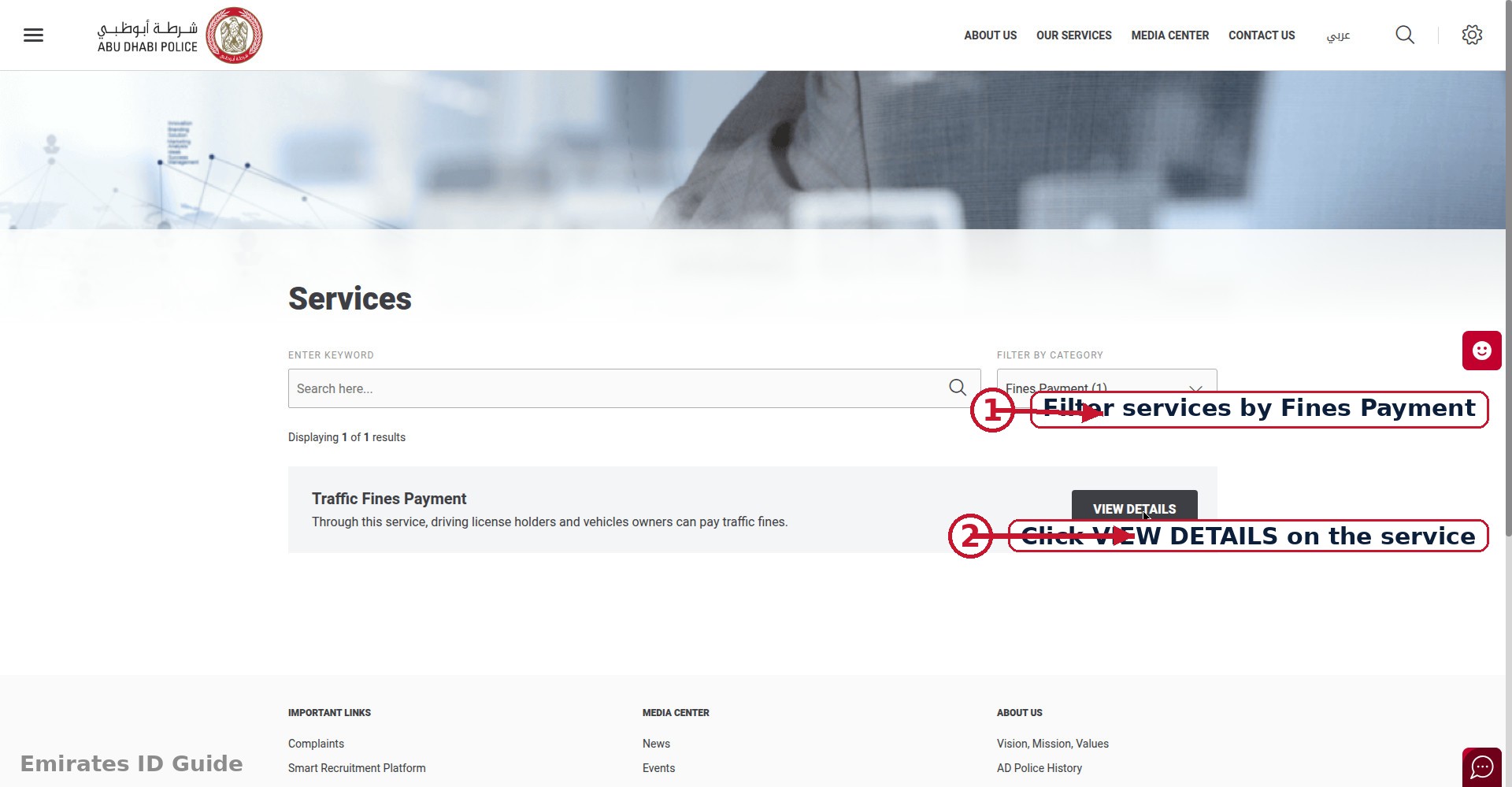
The Abu Dhabi Police e-services portal is the primary online channel for fine inquiries in the capital. It is free, does not require an account for basic inquiries, and shows full fine details.
Step-by-step: inquiry by Emirates ID
- Open the Abu Dhabi Police official website and navigate to the e-services / traffic fines inquiry section.
- Choose "Inquiry by Emirates ID" from the available search options (alternatives usually include traffic file number, plate number, and licence number).
- Enter your 15-digit Emirates ID number carefully and complete any captcha or verification step.
- Submit the inquiry. All fines linked to your identity and traffic file appear in a list.
- Open any fine for details: violation description, date and time, location, amount in AED, and black points if applicable.
If you do not have your Emirates ID number handy, the same inquiry can be run with your traffic file number or vehicle plate details, useful when checking fines on a company or family vehicle.
Method 2: Abu Dhabi Police Mobile App
The Abu Dhabi Police smartphone app (available for iOS and Android) offers the same fine inquiry service in a mobile-friendly format, plus extras that the website does not push to you automatically:
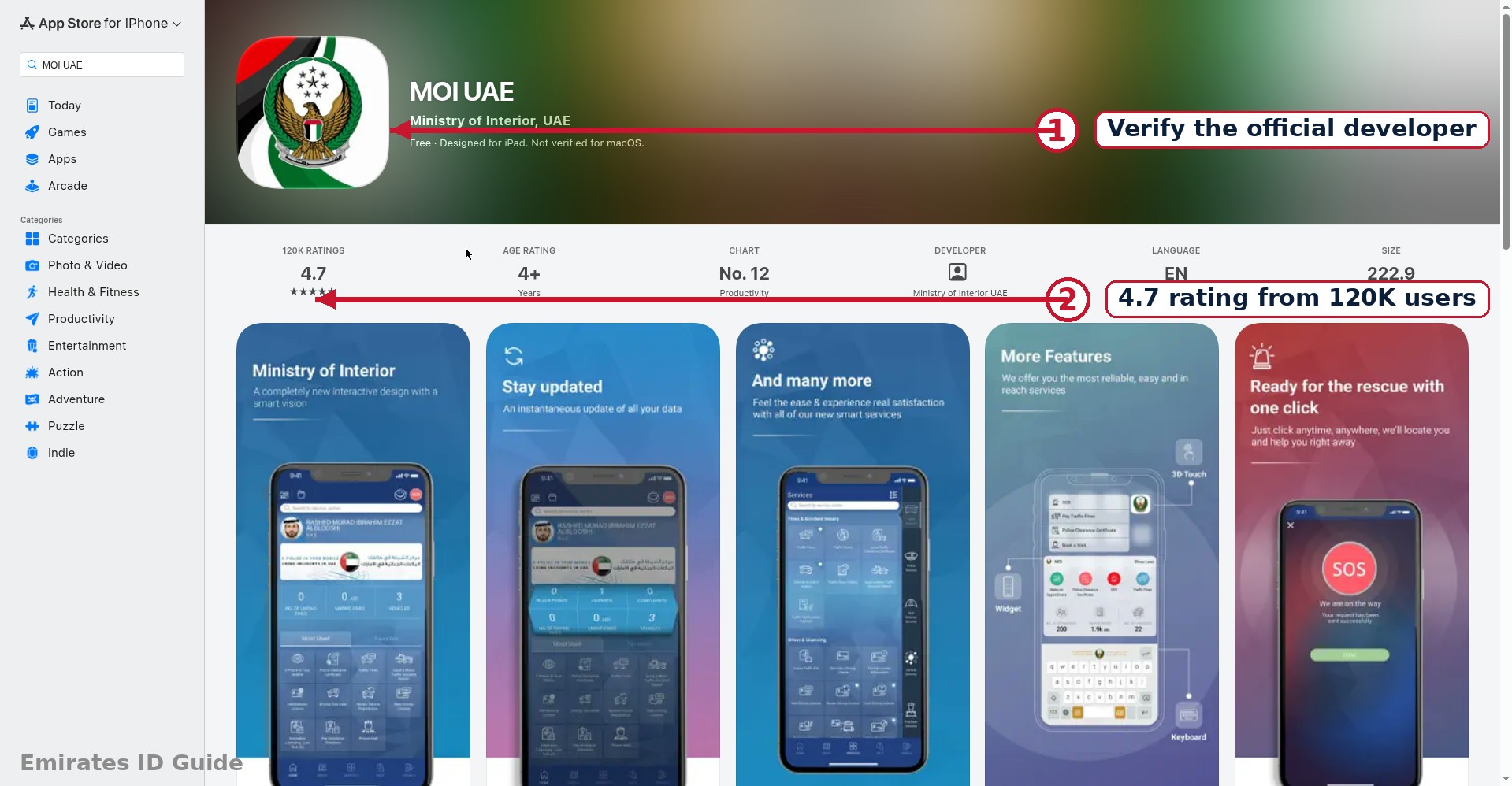
- Download the official Abu Dhabi Police app from your phone's app store, verify the developer is the official police authority before installing.
- Open the traffic services section and select the fine inquiry option.
- Enter your Emirates ID number (or traffic file / plate details) and submit.
- Review and pay, fines can be paid directly inside the app by card.
The app's main advantage is convenience: you can check from anywhere, and enabling notifications means you hear about new fines promptly instead of discovering them months later at a renewal counter.
Method 3: MOI UAE App (All Emirates)
The Ministry of Interior's MOI UAE smart app is the federal option, it aggregates services across all seven emirates, so it is ideal if you drive in more than one emirate or want a single place to check.
- Download the MOI UAE app and open it.
- Find the traffic fines inquiry service in the services menu.
- Enter your Emirates ID or traffic file details and submit.
- View fines from any emirate linked to your identity, and pay by card within the app.
Use the MOI UAE app as your cross-emirate safety net: run the Abu Dhabi Police check for capital-specific detail, and the MOI app to make sure nothing from another emirate is outstanding.
Understanding Your Fine Details
Each fine entry typically shows several pieces of information. Here is what they mean:
| Field | What It Means |
|---|---|
| Violation | The offence, e.g. exceeding the speed limit or illegal parking |
| Date & time | When the violation was recorded |
| Location | Where it happened (road or area) |
| Amount (AED) | The fine payable |
| Black points | Points added to your traffic file under the UAE black-point system; accumulating too many can lead to licence suspension |
| Status | Whether the fine is unpaid, paid, or under objection |
Black points deserve attention: unlike the monetary fine, they affect your driving record itself. If you are approaching the suspension threshold, prioritise safe driving and consider settling fines promptly, the points generally remain until they expire under traffic law rules.
How to Dispute a Fine
If you believe a fine was issued in error, wrong vehicle, wrong location, or you have evidence the violation did not occur, Abu Dhabi Police provides an objection (grievance) process. You do not have to simply pay a fine you consider incorrect.
- Note the fine reference number from your inquiry results.
- Open the objection / grievance service on the Abu Dhabi Police portal or app and select the fine you wish to contest.
- State your case clearly: explain why the fine is incorrect and attach supporting evidence (photos, documents, or witness details) where possible.
- Submit and track. You should receive a reference number for your objection; follow up through the same portal.
- Await the decision. The authority reviews the objection and either upholds, reduces, or cancels the fine.
Submit objections promptly, portals typically impose a time limit from the date the fine was issued, so check the current deadline on the official site rather than assuming you have unlimited time. Paying a fine is generally treated as accepting it, so dispute first if you intend to contest.
Payment Options
- Online: pay by debit or credit card directly on the Abu Dhabi Police portal, the police app, the MOI UAE app, or the TAMM portal. Payment reflects quickly and receipts are downloadable.
- In person: Abu Dhabi Police service centres and customer service counters accept fine payments.
- Other channels: selected kiosks and service centres across Abu Dhabi also process payments.
Always keep your payment receipt until the fine shows as "paid" in the system. If a paid fine still appears as outstanding after a reasonable time, contact the issuing authority with your receipt and transaction reference.
Frequently Asked Questions
Is the Abu Dhabi Police fine check free?
Yes. Inquiring about your fines by Emirates ID on the police portal or app costs nothing. You only pay the fine amount itself if you settle it.
Can I check fines for someone else's car with my Emirates ID?
An Emirates ID inquiry shows fines linked to your identity and traffic file. To check fines on another vehicle, use the plate-number inquiry option instead.
Do Abu Dhabi traffic fines affect my Emirates ID renewal?
Unpaid fines of any significant kind can complicate government transactions, including renewals. Traffic fines live in the police system and ID fines in the ICP system, clear both before any renewal to avoid delays.
What are black points, and how many lead to suspension?
Black points are demerit points added to your traffic file for moving violations under UAE traffic law. Accumulating the maximum allowed leads to licence suspension and vehicle impoundment. Check your points balance alongside your fines and drive accordingly.
How long do I have to dispute a traffic fine?
Objection windows are set by the issuing authority and can change, so check the current time limit on the Abu Dhabi Police portal as soon as you decide to contest. Do not delay, and dispute before paying, since payment is generally treated as acceptance.
Will an unpaid traffic fine cause a travel ban?
Ordinary traffic fines do not directly trigger travel bans, which are linked to court cases, debts, or immigration matters. However, letting any government debt escalate is never wise, settle fines promptly and read our travel ban check guide if you have concerns.
Conclusion
Checking Abu Dhabi Police fines by Emirates ID is free, fast, and available through the police e-services portal, the police app, and the federal MOI UAE app. Make it a monthly habit, understand what black points mean for your licence, and use the objection process promptly if a fine looks wrong. Clean records mean smooth renewals, and no surprises.
Next steps: run a full Emirates ID fine check for Abu Dhabi (ICP + TAMM + police), learn about Emirates ID renewal, or check travel ban status by Emirates ID before travelling.